If you wear hearing aids, you know how much of a difference a good connection makes. Bluetooth hearing aid compatible phones are designed to work seamlessly with your hearing aids, delivering clear audio directly without interference or buzzing. When your phone and hearing aids work together, phone calls become easier, more comfortable, and more enjoyable.
Today’s phone technology goes even further than Bluetooth compatibility alone. Features like real-time captioning, adjustable amplification, and tone control can work alongside your hearing aids to give you the clearest possible phone experience. This guide walks you through what Bluetooth hearing aid compatibility means, what features to look for, and how CapTel captioned telephones can help you get the most out of every call.
Table of Contents
- What Does Hearing Aid Compatible Mean?
- How Bluetooth Works with Hearing Aids
- Features to Look for in a Hearing Aid Compatible Phone
- Why Captioning Takes Compatibility Further
- Types of Hearing Aid Compatible Phones
- Why CapTel Captioned Telephones
- How to Get a CapTel Phone at No Cost
- Making the Most of Your Phone
- Frequently Asked Questions
- Conclusion
- Resources
What Does Hearing Aid Compatible Mean?
A hearing aid compatible (HAC) phone is designed to produce a clear signal that works well with hearing aids. Standard phones can sometimes create static, buzzing, or feedback when used with hearing aids. HAC-rated phones minimize that interference so you hear the caller’s voice clearly through your hearing aids.
How Bluetooth Works with Hearing Aids
Bluetooth technology allows your phone to connect wirelessly to your hearing aids. Instead of holding the handset to your ear and relying on the phone’s speaker, Bluetooth sends the audio signal directly to your hearing aids. This can improve sound quality, reduce background noise, and make conversations easier to follow.
Many modern hearing aids support Bluetooth connectivity, though the specific Bluetooth version and features can vary by brand and model. If you’re unsure whether your hearing aids support Bluetooth, your audiologist can help you confirm compatibility and recommend the best setup.
It’s worth noting that Bluetooth connectivity is just one piece of the puzzle. Even with a strong wireless connection, hearing loss can still make it difficult to catch every word on a phone call. That’s where additional features like real-time captioning become especially valuable.
Features to Look for in a Hearing Aid Compatible Phone
Bluetooth compatibility is a great starting point, but the best phone experience comes from pairing it with additional accessibility features. Here’s what to look for:
- Hearing Aid Compatibility (HAC): Ensures your phone works with your hearing aids without static, buzzing, or feedback.
- Bluetooth Connectivity: Allows your phone to stream audio directly to your hearing aids for a clearer, more direct listening experience.
- Real-Time Captioning: Every word the caller says is displayed on a built-in screen as the conversation happens, so you can read along while you listen through your hearing aids.
- Adjustable Amplification: Powerful amplification lets you boost the caller’s voice well beyond what a standard phone provides.
- Tone Control: Adjusts specific sound frequencies to match your hearing profile, which is often more effective than simply making everything louder.
- Large Display with Adjustable Text: A bright screen with customizable font sizes and colors makes captions and caller information easy to read.
- Built-In Answering Machine: Captioned voicemail lets you read messages as well as replaying them, so you can catch every detail.
- Speakerphone: A powerful speakerphone gives you hands-free convenience and another way to hear conversations clearly.
You can compare CapTel phone features to find the combination that works best for your needs.
Why Captioning Takes Compatibility Further
Bluetooth hearing aid compatibility makes it easier to hear phone calls, but hearing alone doesn’t always guarantee understanding. Background noise, unfamiliar voices, or unclear speech can still make certain words hard to catch, even with hearing aids connected.
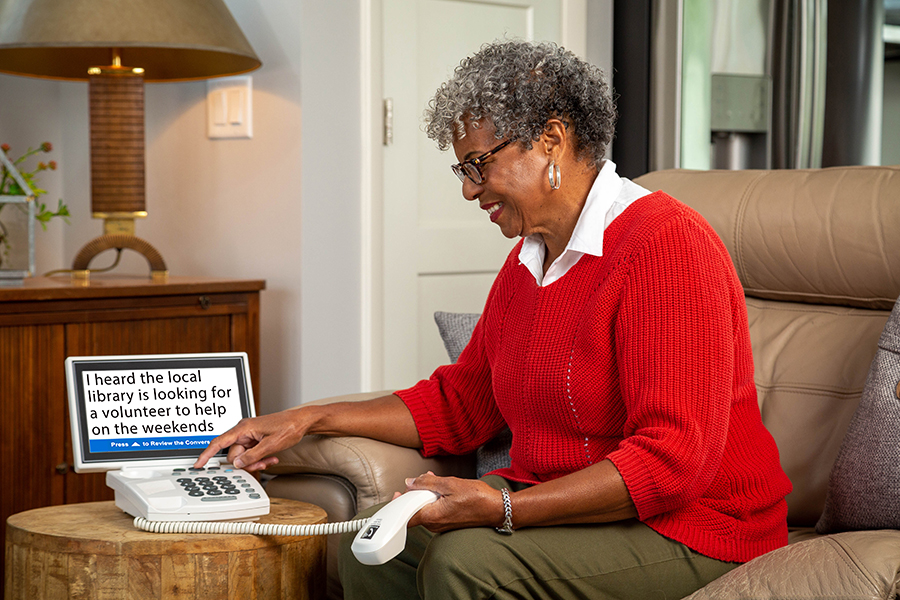
That’s where real-time captioning adds an extra layer of confidence. A captioned phone displays every word the caller says on a built-in screen as the conversation happens. You hear the caller through your hearing aids and read along at the same time, giving you two ways to follow the conversation at once.
This combination is especially helpful on calls where accuracy matters, like conversations with healthcare providers, pharmacies, banks, or insurance companies. If you miss something in the moment, you can glance at the captions to catch what was said, or review them after the call. Captioning doesn’t replace your hearing aids — it works alongside them to make every call clearer.
Types of Hearing Aid Compatible Phones
There are several types of hearing aid compatible phones available. Here’s how they compare:
- Amplified telephones with HAC ratings boost volume and work with hearing aids. They can be useful for mild hearing loss, but amplification alone doesn’t always improve clarity; it just makes sounds louder without necessarily making them easier to understand.
- Captioned telephones display real-time written captions of what the caller is saying on a built-in screen while you also hear their voice through your hearing aids. This two-channel approach (listening and reading) significantly improves comprehension. CapTel captioned telephones are a leading option in this category, and all models are hearing aid compatible.
- Bluetooth-enabled cordless phones can pair directly with Bluetooth hearing aids for a wireless audio connection. While convenient, they typically don’t include captioning, which means you’re relying on audio alone.
Why CapTel Captioned Telephones
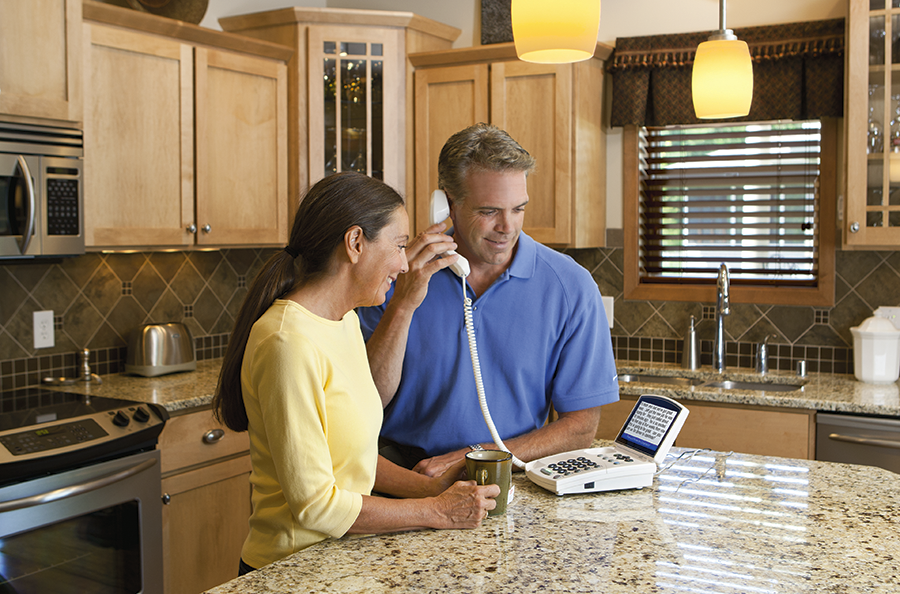
CapTel captioned telephones are built to work with your hearing aids and give you the added clarity of real-time captions. Every word the caller says appears on a bright display in real time, so you can listen through your hearing aids and read along simultaneously, so nothing gets missed.
All CapTel models are hearing aid compatible, and select models offer Bluetooth connectivity for a direct wireless connection to your hearing aids. Combined with captions, this gives you one of the most complete phone experiences available for people with hearing loss.
CapTel phones work just like any other telephone. You dial, you talk, and captions appear automatically. There’s no complicated setup or new technology to learn. Caption font size and color can be adjusted to match your visual preferences.
CapTel offers several models to suit different preferences and home setups, including options with traditional button layouts, touchscreen displays, extra-large text for easy reading, and a model that works without internet. Visit the CapTel phone comparison page to see which model fits you best.
Additional features across CapTel models include built-in answering machines with captioned messages, powerful speakerphones, and easy access to 24/7 customer support whenever you need help with just the touch of a button.
How to Get a CapTel Phone at No Cost
CapTel captioned telephones are available at no cost to people with hearing loss through a federally managed program. This program helps ensure that people with hearing loss have equal access to telecommunications services. The captioning service is also provided at no cost. All you need is an internet connection or landline service.
Making the Most of Your Phone
Getting comfortable with a new phone can take a little time, and that’s completely normal. Here are a few tips to help you get the most out of your captioned telephone:
- Pair your hearing aids first. If you have Bluetooth enabled hearing aids, connect your hearing aids to your phone so you can test the clarity difference. Pairing is easy, but each hearing aid brand is a little different, so be sure to experiment when pairing with a CapTel phone.
- Make a few practice calls. Call a friend or family member like you normally would so you can see the captions in action and get comfortable reading along while listening through your hearing aids.
- Customize your settings. Adjust caption font size, color, amplification, and tone control to your preferences. CapTel has How-To Videos that walk you through each setting step by step.
- Keep support information nearby. The CapTel customer support team is available 24/7 for setup help, troubleshooting, or questions about your phone’s features. Each phone also has a manual that can be helpful for reference.
- Give it a little time. Most people find that reading along with captions while listening through their hearing aids feels natural after just a few calls.
Frequently Asked Questions
- Are all CapTel phones hearing aid compatible? Yes. All CapTel models are hearing aid compatible, so you can use them with confidence regardless of which model you choose.
- Do I need Bluetooth hearing aids to use a CapTel phone? No. CapTel phones work with or without Bluetooth hearing aids. The captions, amplification, and tone control features provide clarity on their own. Bluetooth connectivity is an added benefit (in select models) if your hearing aids support it.
- Do I need to change my phone number? In most cases, no. A CapTel phone works with your existing phone service and phone number. There’s no need to switch providers.
- Is the captioning service free? Yes. The captioning service is provided at no cost through a federally managed program for people with hearing loss.
- What if I don’t have internet at home? CapTel offers the CapTel 840PLUS, which works over a standard analog telephone line without requiring internet access.
- Can I get help setting up my phone? Absolutely. CapTel offers 24/7 customer support and free installation assistance. You can also explore How-To Videos for step-by-step guidance.
Conclusion
Bluetooth hearing aid compatible phones make it easier to hear phone calls, and when you combine that compatibility with real-time captioning, the result is a phone experience built for clarity and confidence. Whether you’re streaming audio directly to your hearing aids or reading captions on screen, the right phone helps you catch every word.
CapTel captioned telephones are hearing aid compatible, easy to use, and available at no cost to people with hearing loss. Visit the CapTel phones page to compare models, or contact us today to find the right phone for you.
Resources
For more information on hearing health and accessible communication, visit these resources:
- The National Institute on Deafness and Other Communication Disorders (NIDCD)
- The Hearing Loss Association of America (HLAA)
- The American Speech-Language-Hearing Association (ASHA)
- FCC Hearing Aid Compatibility Information
For more tips and insights, check out the CapTel News & Blog.