CapTel’s SmartCaptions™ technology automatically uses the optimal captioning method for each call. Or, if you prefer, you can select which captioning method is used. The choice is yours! Learn more below about the different captioning methods and how to switch methods during a call.
SmartCaptions
RECOMMENDEDAutomatically analyzes call conditions to use the most effective captioning method, giving you the best captioning experience on a call-by-call basis. Frees you to focus on the conversation instead of on the mechanics. (Available on CapTel 2400i models)
Auto Captions
Captions are entirely computer-generated. No corrections or background details provided.
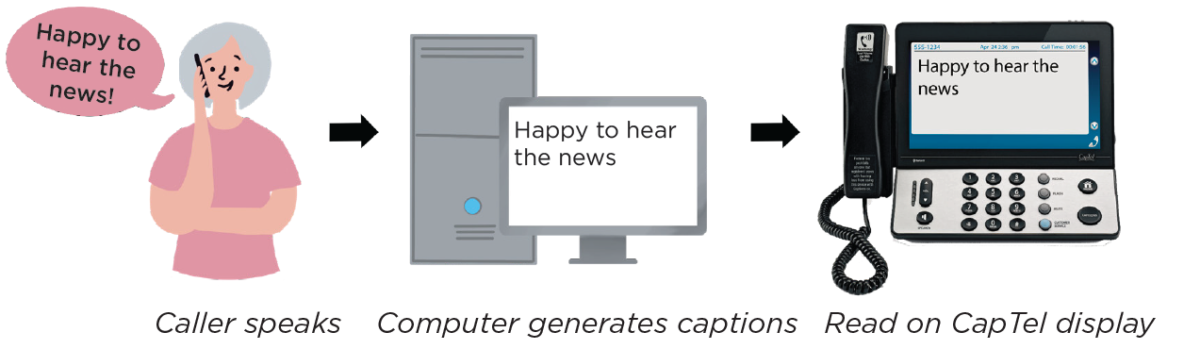
Assisted Captions
Highly-trained captioning assistants help facilitate captions, correcting errors if needed and adding background details, such as Male or Female voice, the (beep) for voice mail services, and sounds occurring on the other end of the line (such as laughing or coughing, etc.)
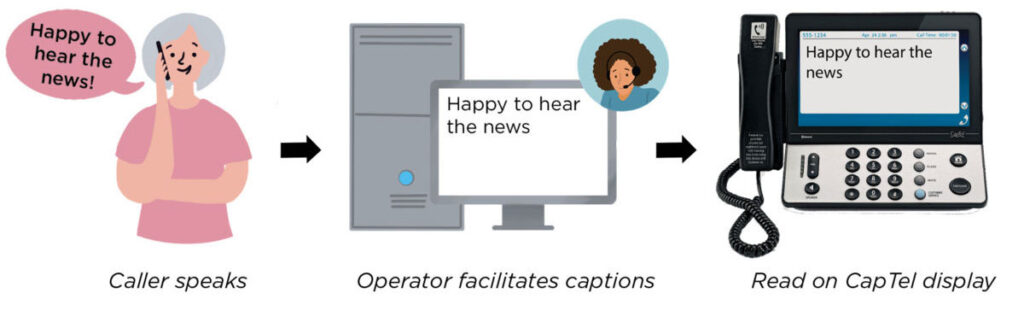
See the different captioning methods in action:
Selecting your Captioning Preference
- During a call: you can switch from Auto Captions to Assisted Captions at any point in a call by selecting the “Switch to Assisted Captions” icon in the on-screen Options menu (CapTel 2400i) or by pressing the DOWN arrow button (CapTel 840i/880i).
- If you would like to change your Captioning Preference setting, press the blue button to contact CapTel Customer Service for assistance.
Under certain circumstances, CapTel may adjust the captioning method of any call to provide you with the best possible captioning experience.
NOTE: 911 Calls are given priority status and will be processed using Assisted Captions. If a CA is not immediately available, the call will be answered using Auto-Captions until an operator comes online.